How to configure mpls on cisco router
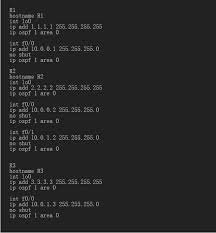
Configuring MPLS on a Cisco router involves enabling Cisco Express Forwarding (CEF), defining an LDP router ID (usually a loopback), and enabling mpls ip on core-facing interfaces. Ensure IGP (OSPF/IS-IS) is running first, as MPLS relies on it for routing.
Basic MPLS Configuration Steps:
- Enable CEF:
ip cef(required for hardware forwarding). - Configure Loopback: Create a /32 loopback interface to act as the LDP router ID.
- Enable LDP: Enable LDP globally and on specific interfaces.
- Verify: Use
show mpls interfacesandshow mpls ldp neighbor.
! Example Configuration on a Cisco P/PE Router
router(config)# ip cef
router(config)# mpls label protocol ldp
router(config)# mpls ldp router-id Loopback0 force
router(config)# interface GigabitEthernet0/1
router(config-if)# mpls ip
router(config-if)# exit
!
! Optional: Enable LDP automatically on all OSPF-enabled interfaces
router(config)# router ospf 1
router(config-router)# mpls ldp autoconfig
Verification Commands:
show mpls interfaces: Verifies which interfaces have MPLS enabled.show mpls ldp neighbor: Confirms LDP session establishment.show mpls ldp bindings: Displays local and remote label bindings.show mpls forwarding-table: Displays the label information base.
Ensure mpls ip is not configured on interfaces directly facing customers (CE routers).