Agam

How to configure proxy server in linux step by step

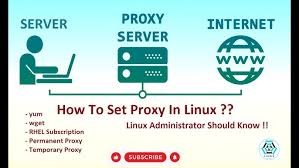
Configuring a proxy server in Linux can be done via graphical user interface (GUI) settings, environment variables for the current or all users, and application-specific configurations for tools like package managers Method 1: Using the Graphical User Interface (GUI) Method 1: Using the Graphical User Interface (GUI) For users of desktop environments like GNOME (used in Ubuntu) or KDE, the easiest…
Read More

How to mac address band with firewall

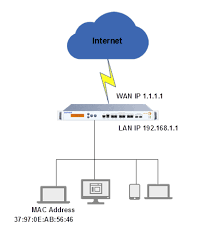
MAC address filtering or binding on a firewall is achieved by identifying a device’s unique hardware address and creating a firewall rule to “Allow” or “Block” its traffic. This is done via the firewall’s web interface, typically under “Policy & Objects,” “Firewall Settings,” or “Device Inventory”.  Steps to Block/Filter MAC Address on a Firewall: Alternative Methods:…

Read More

How to control another pc in same network

To access another computer on the same network, enable Remote Desktop (Windows Pro) in Settings, or use File Explorer to navigate the “Network” tab. Ensure both computers have network discovery enabled, are on the same Wi-Fi/Ethernet, and use the target PC’s name or IP address. Common methods include Windows Remote Desktop, Chrome Remote Desktop, or file…

Read More

How to configure shared printer in windows 10

To add a shared printer in Windows 10, ensure both computers are on the same network, then go to Settings > Devices > Printers & scanners. Click “Add a printer or scanner,” and if the printer appears, select it and click “Add device.” If not, click “The printer that I want isn’t listed” to manually add it by…

Read More

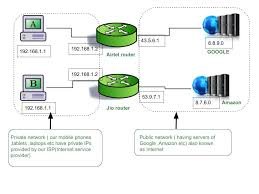
How to connect all pc in network

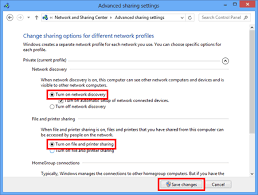
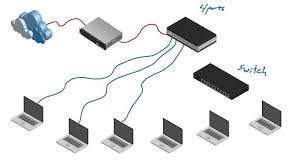
To connect all PCs in a network, plug them into the same router/switch via Ethernet cables or connect them to the same Wi-Fi network.then enable “Network Discovery” and “File and Printer Sharing” in Windows Control Panel (Network and Sharing Center > Advanced sharing settings) to allow devices to see each other.  Step-by-Step Instructions:

Read More

How to configure mpls on cisco router

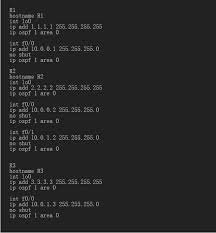
Configuring MPLS on a Cisco router involves enabling Cisco Express Forwarding (CEF), defining an LDP router ID (usually a loopback), and enabling mpls ip on core-facing interfaces. Ensure IGP (OSPF/IS-IS) is running first, as MPLS relies on it for routing.  Basic MPLS Configuration Steps: ! Example Configuration on a Cisco P/PE Routerrouter(config)# ip cefrouter(config)# mpls label protocol…

Read More

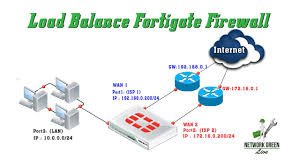
How to configure load balancer in fortigate firewall

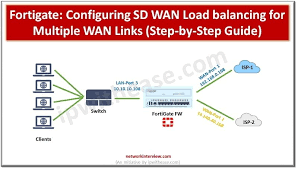
Configuring a load balancer in a FortiGate firewall involves enabling the “Load Balance” feature in System > Feature Visibility, then defining a Virtual Server under Policy & Objects to act as the public-facing IP. You must assign a load-balancing method (e.g., Round Robin), add real servers with their IP addresses, configure a health check, and finally, create a firewall policy to…

Read More

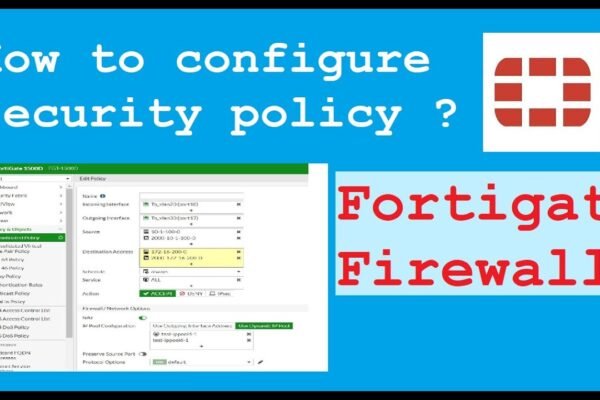
How to configure policy in fortigate firewall

Fortinet firewall policies are configured under Policy & Objects > Firewall Policy to control traffic based on source, destination, service, and action (Accept/Deny). Key settings include defining incoming/outgoing interfaces (e.g., LAN to WAN), enabling NAT for internet access, and applying security profiles. Policies are stateful, requiring explicit rules to permit traffic. Fortinet firewall policies are configured under Policy &…

Read More

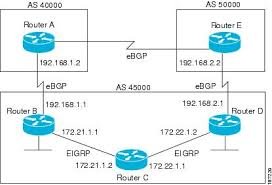
How to configure BGP in cisco router

Configuring BGP on a Cisco router involves initiating the BGP process with router bgp <AS_number>, defining neighbors using neighbor <IP> remote-as <AS_number>, and advertising networks with the network command. For IPv4, use address-family ipv4 to activate neighbors, while ensuring necessary IP connectivity and, for EBGP, proper route policies.  Basic BGP Configuration Steps Advertise Networks: network <network-IP> mask <subnet-mask>  Example: Configuring EBGP between…

Read More