How to install software in linux
Software in Linux is primarily installed using package managers which access software from online repositories. This can be done through a user-friendly graphical interface (Software Center/Manager) or the command line.
Graphical Method (Recommended for Beginners)
Most Linux distributions include a graphical software management application that functions like an app store.
- Open the Software Manager: Look for an icon named “Software”, “Software Manager”, or “Discover” in your application menu or dock.
- Search for Software: Use the search bar to find the application you want to install.
- Install: Select the application and click the Install button. You will be prompted to enter your administrative password. The software and any necessary dependencies will be installed automatically.
Command-Line Method
The command line offers more control and is consistent across server environments. The specific command depends on your Linux distribution’s package manager:
- Debian/Ubuntu/Mint (uses
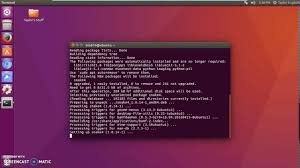
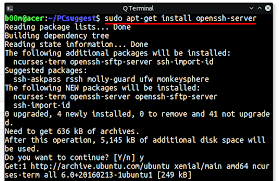
.debpackages and APT/APT-GET):bashsudo apt update # Updates the list of available packages sudo apt install packagename # Installs the desired package - Fedora/Red Hat/CentOS (uses
.rpmpackages and DNF/YUM):bashsudo dnf install packagename # Installs the desired package